Multiple Dataset Support
Since anemoi-training=0.4, The framework supports training with multiple datasets simultaneously. This enables use cases such as downscaling, or leveraging diverse data sources to improve model generalisation.
Overview
When multiple datasets are configured:
Each dataset has its own encoder and decoder, allowing dataset-specific input and output representations.
Encoded representations from all datasets are combined in a shared latent space.
A single shared processor operates on the combined latent representation.
Warning
All datasets must share the same time resolution and forecast horizon or target times.
Dataset-Specific Configuration
Any training component that must be configured per dataset (e.g. normalisation, dataset-specific options) is now defined under a dataset-specific configuration block. This makes it possible to mix datasets with different preprocessing requirements while still benefiting from shared representation learning. Similarly, dataset-specific encoders and decoders can handle differing input/output variable sets.
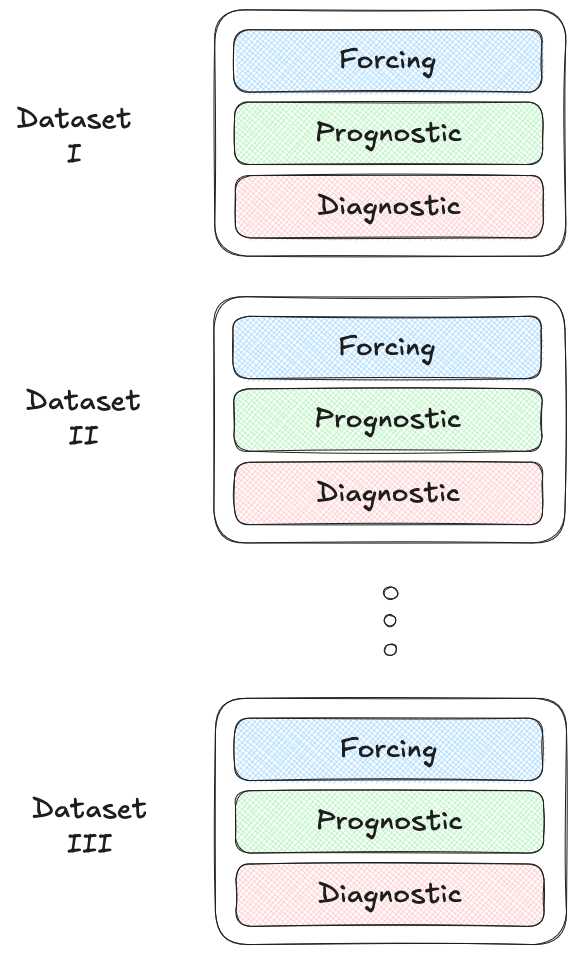
Example Use Cases
The multi-dataset setup can be used for various use cases, by combining different combinations of forcing and diagnostic variables across datasets.
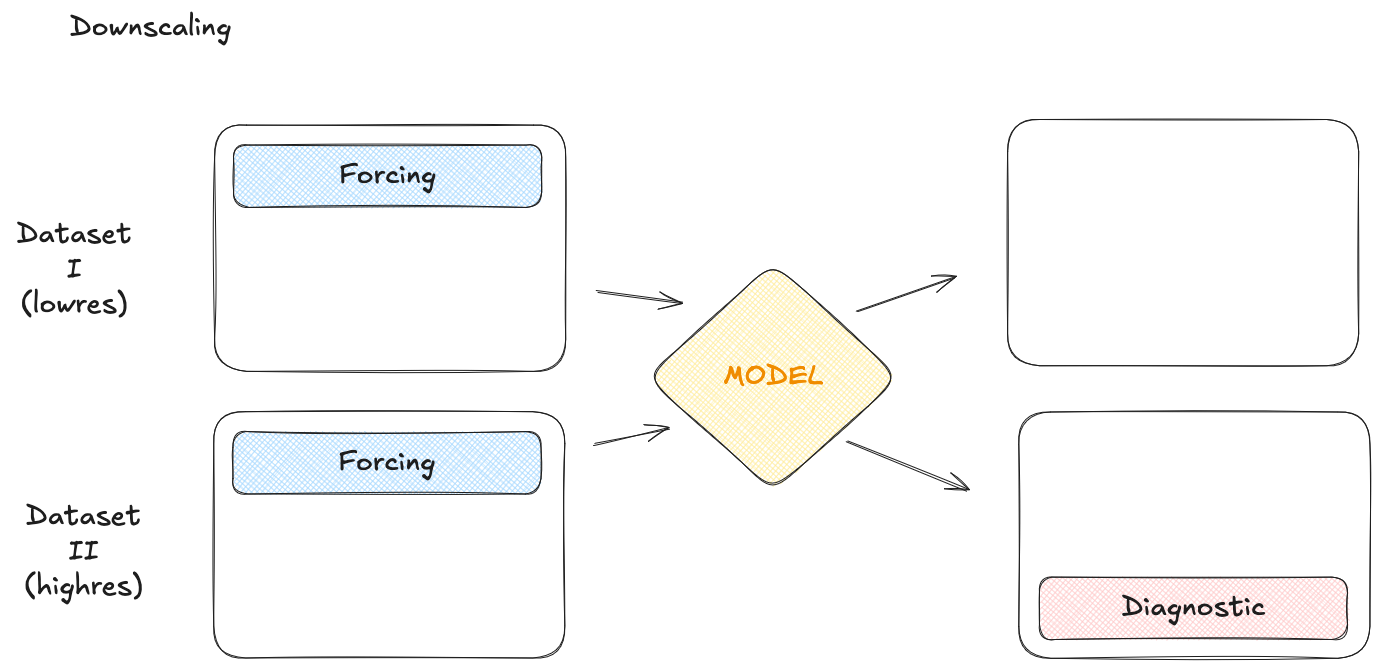
For example, downscaling can be achieved by using a high-resolution dataset where all variables to be downscaled are set to be diagnostics, and a lower-resolution dataset where all variables are set to be forcings.
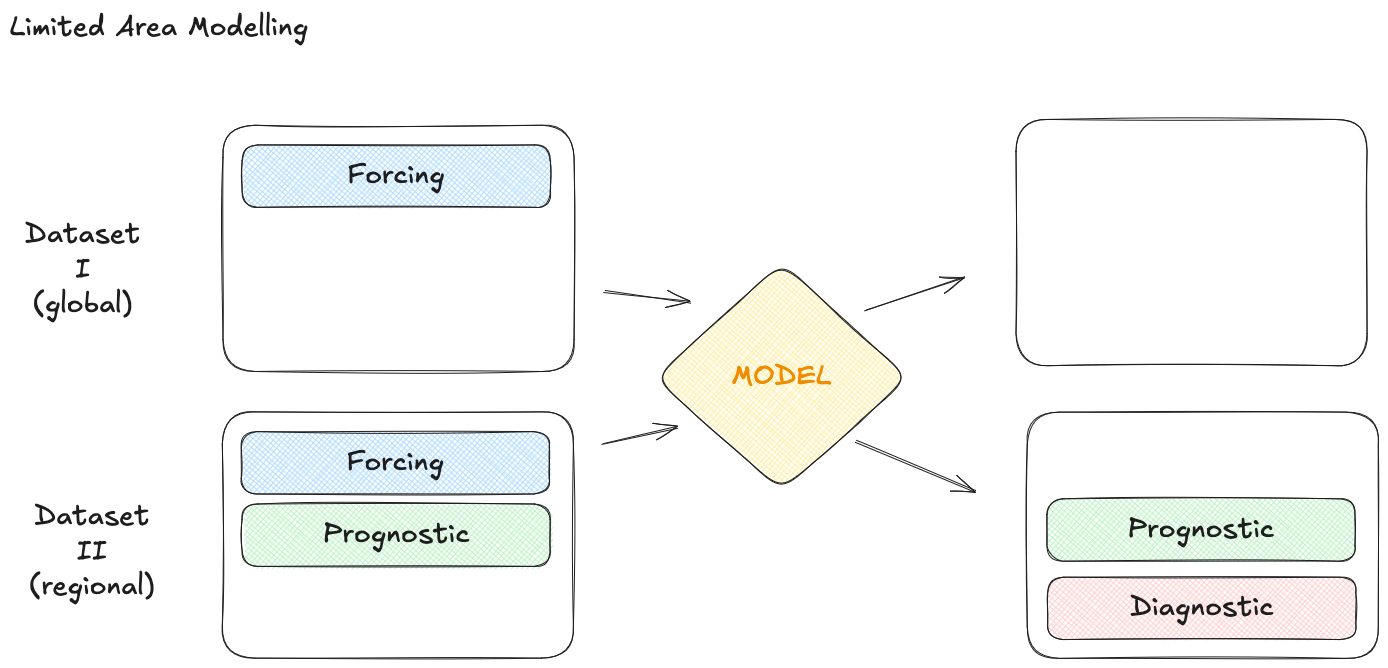
Similarly, a multi-dataset variant of a limited area model can be created as follows:
Configuration Structure Changes
To support per-dataset configuration, the YAML structure has changed for several config entries. The configuration now supports a dictionary-based approach (“dict-ification”) for datasets and related components. The entry point is a datasets: field, which is a dictionary where each key is a dataset name and the value is its configuration.
For example, a configuration that previously looked like this:
processors:
    normaliser:
        default: mean-std
now becomes:
datasets:
    your_dataset_name:
        processors:
            normaliser:
                default: mean-std
Each dataset is identified by a unique name, and all configuration that applies specifically to that dataset is defined within its block.
Dataloader Dataset Reader Configuration
The dataloader dataset reader structure has been updated to use a dedicated
dataset_config key. This is a breaking change intended to remove ambiguous
nesting and make the mapping to open_dataset explicit.
The required structure is:
dataloader:
    training:
        datasets:
            era5:
                dataset_config:
                    dataset: ${system.input.dataset}
                    frequency: ${data.frequency}
                    drop: []
                    select: []
                    statistics: /path/to/statistics.zarr
                start: 1985
                end: 2020
                trajectory: null
where dataset_config is passed to open_dataset as a dictionary, i.e.:
open_dataset({"dataset": ..., "frequency": ..., "drop": ..., "select": ..., "statistics": ...})
Previous format (no longer supported in validated configurations):
dataloader:
    training:
        datasets:
            era5:
                dataset:
                    name: ${system.input.dataset}
                    frequency: ${data.frequency}
                    drop: []
                start: 1985
                end: 2020
                trajectory: null
Graph Creation
The graph must define a set of nodes for each dataset. The dataset name has to be used as the nodes name in the graph recipe.
Dataset Name Conventions in Templates
In the configuration templates provided with the framework, we use “data” as a generic placeholder for the dataset name. For example:
datasets:
    data:
        normaliser:
            default: mean-std
The key under datasets can be any user-defined name and serves only as an identifier for that dataset within the configuration. When adapting a template, you may rename “data” to something more descriptive (e.g. era5, or cerra), or define multiple dataset entries as needed.
All dataset-specific configuration must be nested under the corresponding dataset name.
Example Multi-Dataset Configuration
Here is an example configuration snippet for two datasets, era5 and cerra:
data:
    datasets:
        era5:
            forcing:
            - "cos_latitude"
            - "cos_longitude"
            - "sin_latitude"
            - "sin_longitude"
            - "cos_julian_day"
            - "cos_local_time"
            - "sin_julian_day"
            - "sin_local_time"
            - "insolation"
            - "lsm"
            - "sdor"
            - "slor"
            - "z"
            diagnostic: [tp, cp]
            processors:
                normalizer:
                    _target_: anemoi.models.preprocessing.normalizer.InputNormalizer
                    config:
                        default: "mean-std"
                        std:
                        - "tp"
                        min-max:
                        max:
                        - "sdor"
                        - "slor"
                        - "z"
                        none:
                        - "cos_latitude"
                        - "cos_longitude"
                        - "sin_latitude"
                        - "sin_longitude"
                        - "cos_julian_day"
                        - "cos_local_time"
                        - "sin_julian_day"
                        - "sin_local_time"
                        - "insolation"
                        - "lsm"

        cerra:
            forcing:
            - "cos_latitude"
            - "cos_longitude"
            - "sin_latitude"
            - "sin_longitude"
            - "cos_julian_day"
            - "cos_local_time"
            - "sin_julian_day"
            - "sin_local_time"
            diagnostic: [tp]
            processors:
                normalizer:
                    _target_: anemoi.models.preprocessing.normalizer.InputNormalizer
                    config:
                        default: "mean-std"
                        std:
                        - "tp"
                        min-max:
                        max:
                        none:
                        - "cos_latitude"
                        - "cos_longitude"
                        - "sin_latitude"
                        - "sin_longitude"
                        - "cos_julian_day"
                        - "cos_local_time"
                        - "sin_julian_day"
                        - "sin_local_time"
Since they have different variables, each dataset has its own lists of forcing and diagnostic variables, as well as its own normaliser configuration.
Migration Notes
If you are using a single dataset, you still need to define it under the datasets key when using the new layout.
Existing configuration values generally remain the same, but their location in the YAML file has changed.
All configuration snippets throughout the documentation have been updated to reflect the new structure.
For dataloader dataset readers, use
dataset_config(outer key) anddataset(inner key). The olddataset/nameshape is deprecated and should be migrated.We strongly recommend updating configurations to the new datasets-based layout, as this is the forward-compatible and fully supported format.